OCI Full Stack Disaster Recovery (FSDR): A Practitioner’s Complete Guide
Here’s an uncomfortable truth most cloud architects quietly acknowledge: a DR plan that lives in a Word document is not a DR plan. It’s a wish list.
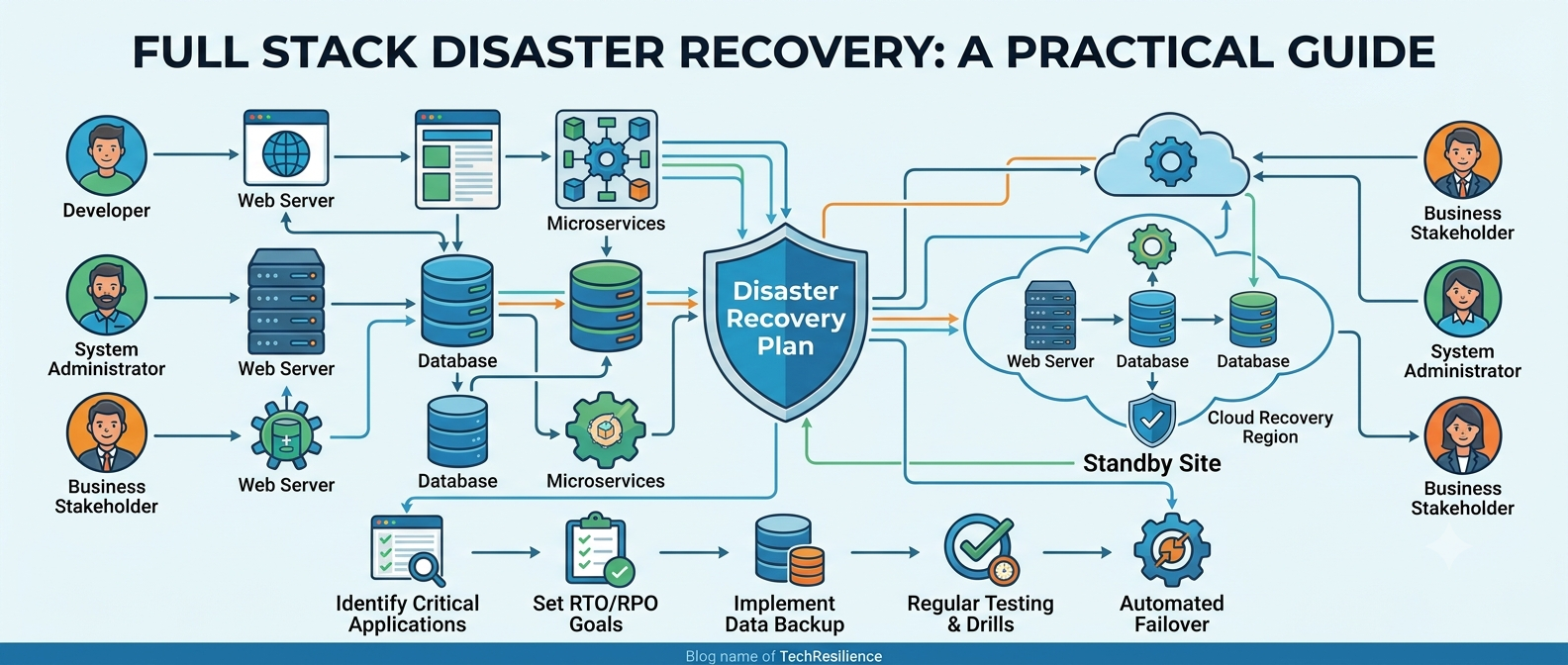
When a region goes dark at 2 AM, nobody is calmly following a 47-step runbook — they’re improvising, making mistakes, and hoping. Oracle’s Full Stack Disaster Recovery (FSDR) is built on the premise that hope is not an operations strategy.
What Exactly is OCI FSDR?
Think of FSDR as a conductor for your disaster recovery orchestra. Your databases, compute instances, load balancers, storage volumes, and middleware are all musicians — each knowing their individual part.
But without someone coordinating them, you get noise, not music. FSDR is that conductor: it knows the sequence, enforces timing, and makes sure the database switches roles before the application servers come back up.
The DR Lie Most Teams Are Living
Ask any team if they have a DR plan. They’ll say yes. Ask them when they last tested it end-to-end. The dirty secret of enterprise DR is that most plans are theoretical — written for an architecture that existed two years ago.
- Tools don’t talk to each other
- Runbooks become outdated
- Recovery at scale is far harder than expected
- DR drills are often postponed indefinitely
Learn the Language Before You Touch the Console
RTO → Maximum downtime business can tolerate.
RPO → Maximum data loss business can tolerate.
Primary → Production region.
Standby → DR region.
Protection Group → Logical boundary of resources protected together.
DR Plan → Ordered recovery workflow.
Switchover → Planned transition.
Failover → Unplanned recovery event.
Warm Standby → Pre-provisioned standby resources.
Cold Standby → Provisioned only during DR.
Prechecks → Validation before DR execution.
How FSDR Thinks About Your Infrastructure
FSDR assumes every application has two homes: a primary and a standby.
- Primary Region: Active production workloads
- Standby Region: DR workloads
- Protection Groups: Resource grouping
- DR Plans: Automated recovery workflows
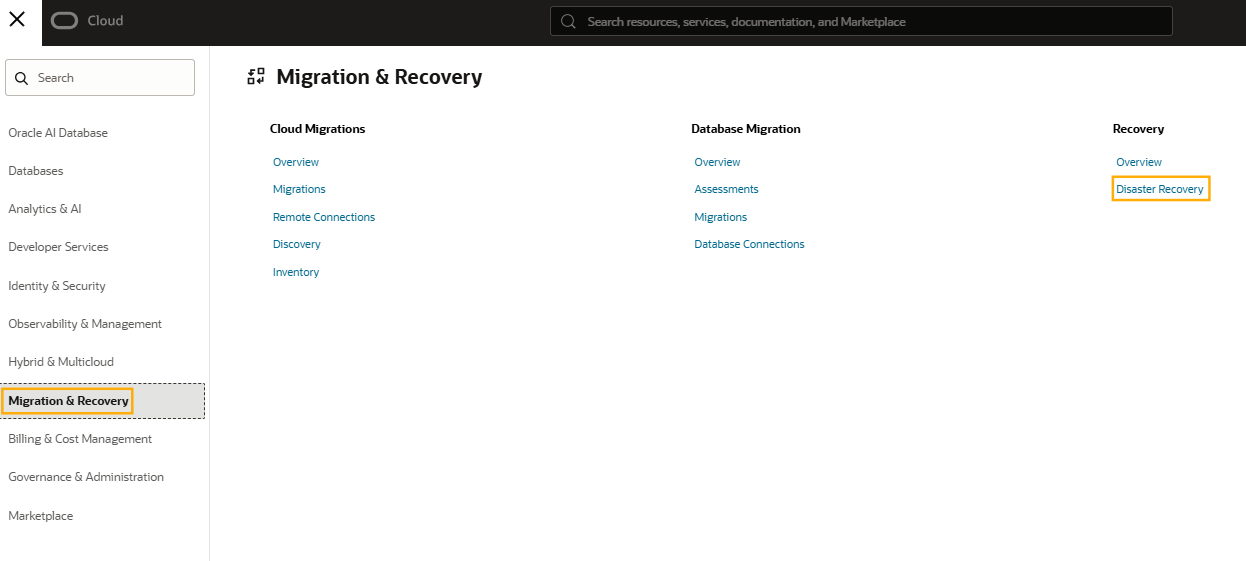
What FSDR Actually Does Well
Auto-generates DR Plans
Add resources into a Protection Group and FSDR builds a working DR plan automatically.
Prechecks
Before running DR, FSDR validates replication, IAM, dependencies, and standby readiness.
Custom Logic
You can add shell scripts, OCI Functions, DNS updates, or custom application logic.
Execution Visibility
Every step is visible in real time.
Setting It Up — What You Actually Do
1. Map Your Stack Honestly
List every resource your application actually needs: compute, database, storage, networking, middleware.
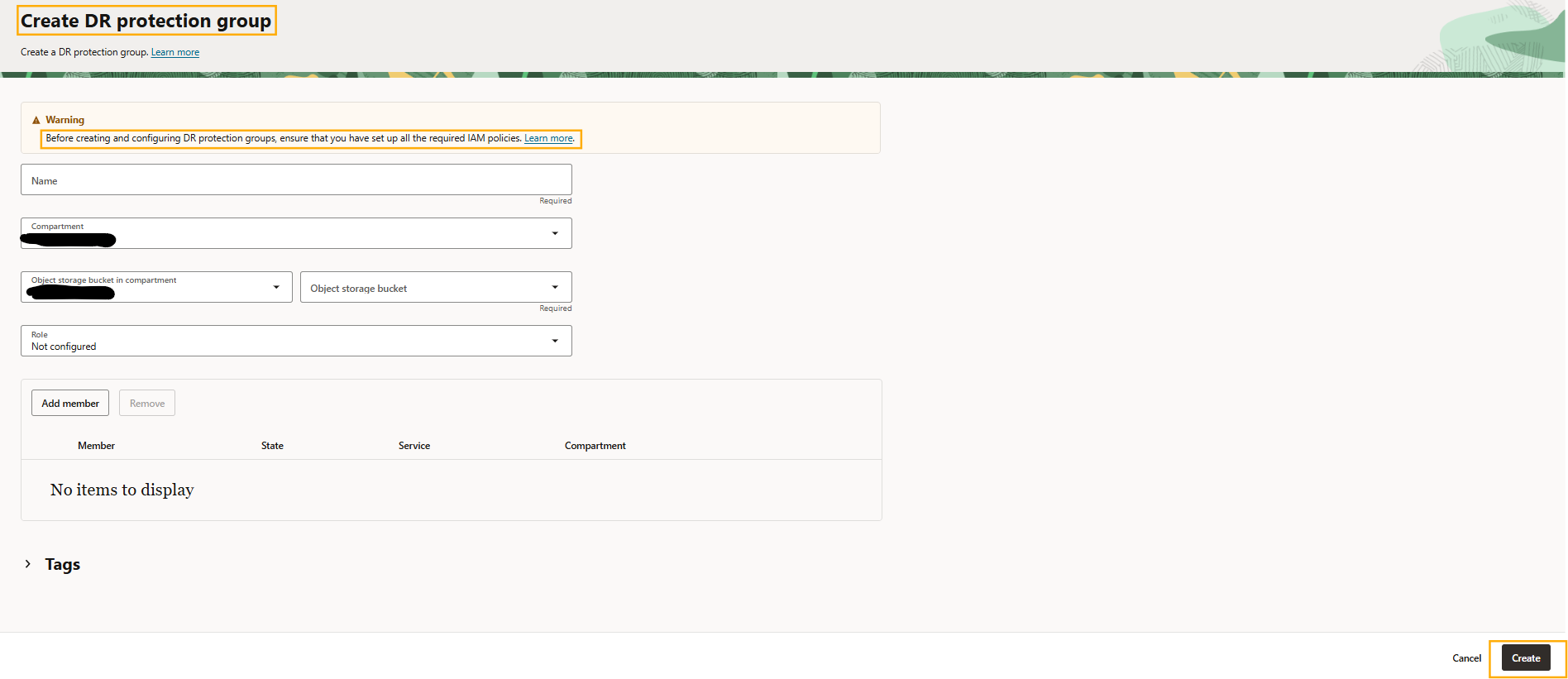
2. Create Protection Groups
Create one group in primary and one in standby.
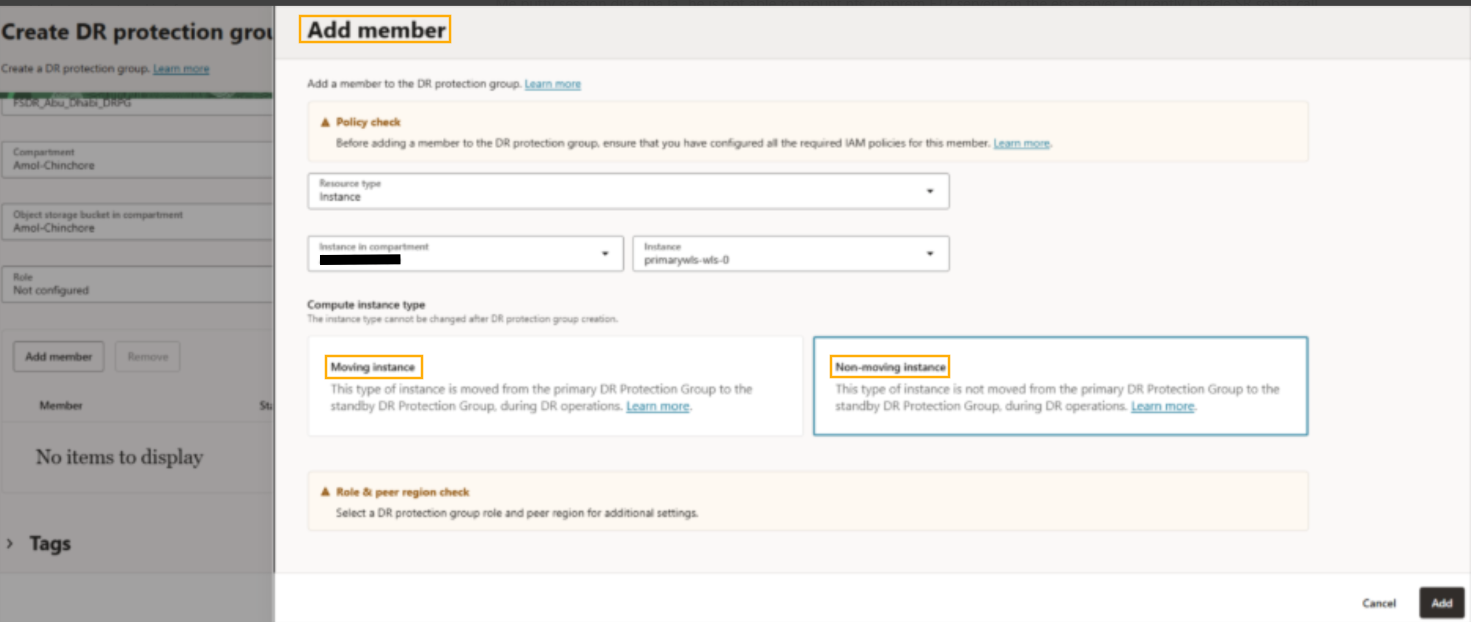
3. Add Members
Add compute, databases, OKE clusters, storage, and network components.
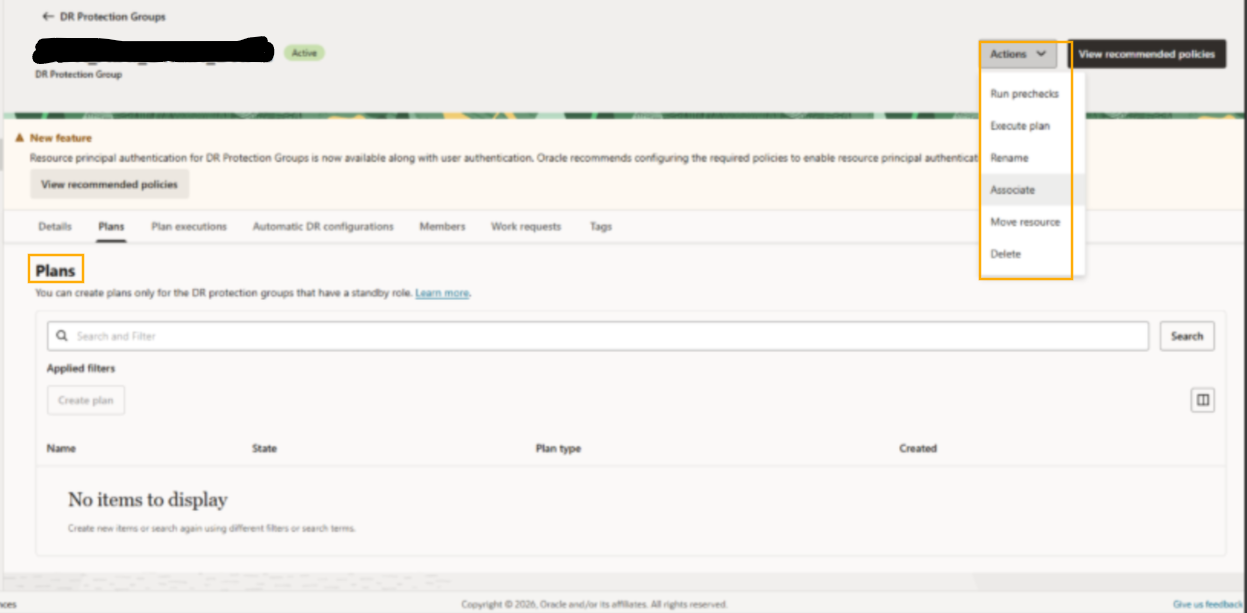
4. Generate Plans
Review generated plans carefully. Don’t blindly trust defaults.
5. Run Prechecks Frequently
Treat prechecks like health monitoring, not one-time setup.
6. Execute Failover from Standby
During a disaster, recovery is initiated from standby region.
What Can FSDR Actually Protect?
- Compute: VM, Dedicated VM Hosts, Boot Volumes, Block Volumes
- Database: Autonomous DB, Base DB, Exadata, MySQL
- Containers: OKE clusters
- Storage: File Storage, Object Storage replication
- Networking: Load Balancers, NLBs
- Integration: OIC and GoldenGate
How to Not Waste the Tool You Just Set Up
- Schedule prechecks regularly
- Drill with switchover
- Keep one app per Protection Group
- Include custom steps in plans
- Prefer cross-region for critical workloads
The Bottom Line
DR has always been one of those things organizations know they need and consistently under-invest in. FSDR doesn’t eliminate tension — but it changes the economics. Recovery becomes operational discipline rather than manual heroics. If your production workloads run on OCI and your DR strategy is still a runbook in a shared drive, this is the moment to fix that.